


NBC 4 New York: News & Weather
4.2854.00 Reviews
App Specs
- Version
- 8.9
- Updated On
- License
- Free
- Downloads
- 500,000+
- Developer
- NBCUniversal Media, LLC
- Categories
- News & Magazines
- Platform
- Android, iOS
Screenshots

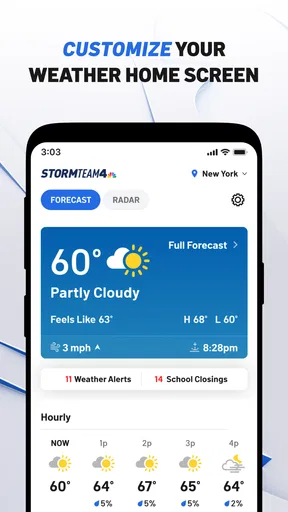
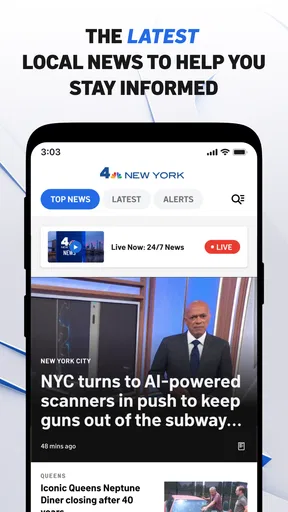
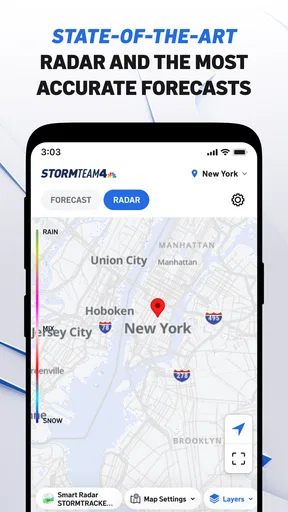
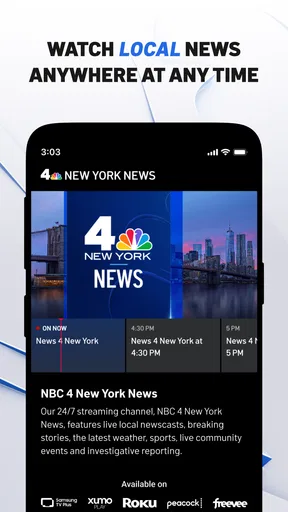
 Analysis by AppCompare
I spent time using NBC 4 New York: News & Weather as a quick source for local headlines, forecasts, alerts, and live television, and its purpose became clear almost immediately: this is a focused New York news companion rather than a broad national news app. It is free to use, aimed at Everyone, and comes from NBCUniversal Media, LLC. Its strongest quality is also its main limitation: the closer a story is to New York life, the more useful the app feels.
For someone who lives in the New York area, commutes through the region, follows local politics, or simply wants a familiar local television newsroom in a mobile format, the app can fit naturally into a daily routine. I would not choose it as my only source for national coverage, international reporting, or a fully customizable news feed. I see it instead as a practical local layer that can sit alongside the broader news tools many people already use.
How the app fits into a local news routine
I use NBC 4 New York as a local check-in rather than another feed to scroll endlessly. In this section, I’ll look at how its mix of New York reporting, weather alerts, and live coverage can fit around ordinary decisions, then consider where that focused approach helps—and where a broader or more specialized source is a better fit.
A free way to follow New York without building a complicated setup
The cost is straightforward: NBC 4 New York: News & Weather is free. That matters because the app’s value is not based on a paid subscription or a one-time purchase. You can try it without committing money, then decide whether its local coverage deserves a regular place on your phone. For this kind of regional news app, that makes the decision fairly easy: the real investment is your attention, not your wallet.
I like that free access changes how I use it. I do not feel the need to justify keeping it open all day or squeezing every possible feature from it. I can check local headlines in the morning, look at weather information before leaving home, and open the app again when a developing story affects travel or plans. If it does not become part of your routine, removing it costs nothing beyond a few seconds.
The app has been available since April 2, 2012, so it is not a brand-new experiment. The current version is 8.9, and it requires operating system version 9 or later. In practical terms, that makes compatibility an important first check for anyone using an older device. On a supported phone, the app is positioned as an accessible local news tool rather than a premium product with a paywall-centered experience.
What you actually get for the price
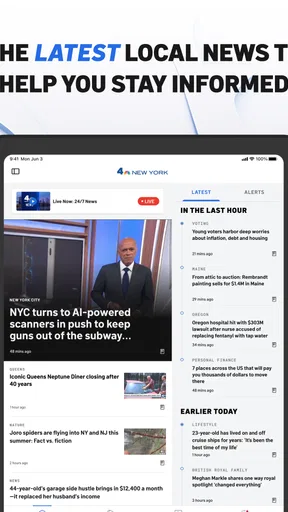
The core package combines local New York reporting with weather alerts and access to NBC 4 New York live around the clock. That combination is more useful than a simple headline reader because it covers three different moments in a normal day: catching up on what happened, checking what may affect you next, and watching coverage when a story is unfolding.
Worth Reading Before You Choose

EA SPORTS FC Mobile 26 Is a Bigger Football Game, but It Takes Time

Flipboard Shows What News Apps Must Do Beyond the Feed

Switching to Android Auto Means Rethinking Your Driving Routine

Google Calendar Makes a Crowded Week Easier to Manage

Ludo King Makes the Most of the Minutes Between Plans

Baby Panda World Brings Quick Play to Modern Phones, but Its Game Library Feels Busy
I found the live component especially valuable when I wanted context rather than a single written update. A headline can tell me that something is happening, but live television can show how the newsroom is framing the situation and whether the story is still developing. It is not always the fastest or most convenient format, though. If I only need one fact, reading is quicker; if I want to understand the wider situation, live coverage becomes more worthwhile.
The app’s average rating is 4.2 from around 3.4 thousand ratings, with roughly 854 written reviews. Those figures suggest that many users find the app useful, while also leaving room for ordinary differences in expectations. A local news application can feel excellent to someone who needs New York updates and much less relevant to someone living elsewhere. Ratings should therefore be read in context rather than treated as a universal verdict.
My morning use: weather first, headlines second
A realistic way to use the app is to open it before commuting. I would first check the local weather information and any alerts, then scan the leading stories for disruptions that might change the day. That order is more efficient than opening several separate services, especially when I am trying to decide whether to leave earlier, carry different clothing, or keep an eye on a developing local situation.
The useful insight here is that the app works best as a decision tool, not merely as entertainment. Weather information has a direct effect on plans, while local headlines can add context about transportation, public safety, events, and neighborhood conditions. I would still verify important travel details through the relevant transport provider, but the app can be a sensible first check when I want a quick picture of what is happening around New York.
Another practical workflow is to use the app in two passes. The first pass is a short scan of headlines and weather. The second is reserved for stories that may affect me personally, where I can read more or switch to live coverage. This prevents the app from turning every update into a long browsing session and helps preserve its main advantage: local awareness with relatively little effort.
Where local focus makes a real difference
National news applications usually offer breadth, personalization, and a large stream of stories from many regions. That breadth is useful, but it can bury a local update among national politics, international events, business news, and opinion. NBC 4 New York takes the opposite approach. Its narrower identity means I can open it with a specific question: what is happening in New York right now?
That focus is valuable for residents, workers, students, visitors planning a day in the city, and people who have family in the area. A person who moved away but still cares about New York may also appreciate having a dedicated local source instead of repeatedly filtering a general news feed. The trade-off is obvious: the app becomes less useful as the reader’s connection to New York weakens.
I would also distinguish it from a weather-only application. A weather app may be better when I want detailed forecasting tools or a highly specialized view of conditions. NBC 4 New York makes more sense when weather is part of a broader local information habit. Its appeal is the combination of forecast-related awareness, local reporting, and live news rather than a single deep meteorological function.
Live television is useful, but it changes the way you consume news
Watching NBC 4 New York live twenty-four hours a day gives the app a different role from a standard article feed. I can leave it for a longer viewing session when a major local story is developing, or use it as a quick way to see the current broadcast instead of searching for individual clips. That continuity can be reassuring when written updates are arriving in fragments.
At the same time, live viewing asks more of me than reading. It requires attention, and it may include information that is not immediately relevant to my situation. I would not open the live stream every time I need a forecast or a single headline. My preferred approach is selective: use written coverage for speed, then move to live video when the story deserves ongoing context.
This distinction also helps answer a common practical question: is the app suitable for people who do not watch television news? Yes, but its value will depend on how much they want local reporting and alerts. The live feature is an extra route into the newsroom, not a requirement for using the rest of the app. Someone who prefers reading can treat it as a local news and weather utility without making video the center of the experience.
Small habits that make the app more useful
I would keep the app for situations where timing matters, but I would avoid treating every notification or update as equally important. A useful habit is to check local information at natural transition points: before leaving home, before starting a commute, and before making evening plans. This creates a simple rhythm without encouraging constant refreshing.
For live coverage, I would use it when I need to observe how a story is developing rather than repeatedly reopening short updates. That can reduce the temptation to jump between several sources. When I only need a quick answer, I would stay with the written side of the app and close it after finding what matters.
A third useful approach is to compare the app’s local perspective with a broader source when the subject extends beyond New York. Local reporting can explain how a national decision affects the region, while a national outlet can provide wider background. Neither replaces the other. The best result comes from using this app for the New York angle and a broader service for context outside the region.
Where the experience may feel limited
The biggest limitation is not a missing novelty feature; it is the app’s regional boundary. If I want a single place for world news, national business coverage, technology reporting, or deeply specialized topics, this is not the right primary tool. Its focused identity is helpful only when the focus matches my needs.
There is also a difference between being informed and being fully briefed. A local headline and a live broadcast can make me aware of an event, but I may still need another source for documents, detailed background, specialist analysis, or a long-term timeline. I would not use a fast local news check as the sole basis for an important decision simply because it is convenient.
The live broadcast can create another kind of friction. Video is less discreet than reading, especially in public or at work, and it is not always practical when I am on a weak connection or trying to conserve attention. In those moments, a short written update is the better choice. The app works best when I choose the format that matches the situation instead of assuming live coverage is always superior.
Compatibility may also affect the decision. The app requires operating system version 9 or later, so anyone using an older device should check that point before expecting to install it. For supported phones, the age rating is Everyone, which makes the app broadly approachable, although the subject matter of breaking news can naturally vary in seriousness.
Who will get the most value from it?
I would recommend it first to people who need New York-specific information repeatedly. That includes residents checking local developments, commuters watching for changes that could affect plans, and families who want a straightforward way to follow regional news. The free price makes it easy to test, and the mix of local reporting, weather alerts, and live television gives it more range than a single-purpose headline tool.
It can also suit someone who has recently moved to the area and wants a simple local starting point. Instead of trying to identify every neighborhood source immediately, the app offers a recognizable route into New York news. I would still add more specialized services over time, particularly for transportation, local government, or neighborhood-level information, but this can be a useful general layer.
People who mainly want international coverage, extensive customization, or a quiet reading experience may be better served elsewhere. The same applies to users who want detailed weather analysis above all else. A dedicated weather application may provide a more specialized workflow, while a broad news reader may be a better home for varied interests. Choosing this app makes sense when local relevance matters more than maximum breadth.
My verdict on keeping it installed
My final view is positive, with a clear condition: NBC 4 New York: News & Weather is worth keeping if New York is part of your daily life or your regular concerns. Because it is free, there is no purchase decision to defend; the question is whether its local focus earns space on your phone. For me, the answer is yes when I want a quick regional check and the option to move into live coverage without opening a separate television service.
I would not present it as a replacement for every other news tool. Its strongest value comes from combining local headlines, weather awareness, and continuous NBC 4 New York coverage in one place. Its weaker side appears when I need broad national or global reporting, highly detailed specialist information, or a purely weather-centered experience.
With 500 thousand or more installs, the app has clearly reached a substantial audience, and its established presence supports the idea that it serves a recognizable need. Still, popularity does not remove the need to match the app to your location and habits. If you are connected to New York and want a free local news companion, I would recommend trying it. If New York is not relevant to you, I would skip it and choose a source built around the region and subjects you actually follow.
Pros
- Live local news coverage for New York City and surrounding areas.
- Reliable weather forecasts
- radar maps
- and severe-weather alerts.
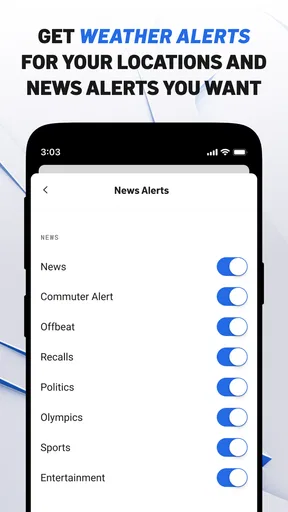
- Breaking-news push notifications help you stay informed quickly.
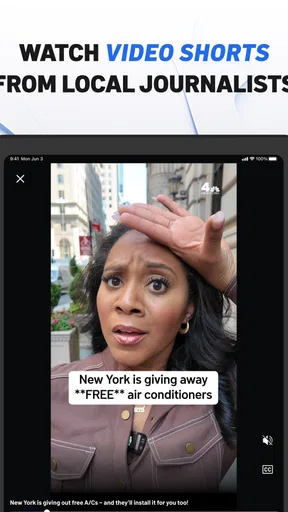
- Includes video reports and interviews from the NBC 4 newsroom.
- Covers traffic
- politics
- health
- and community stories in one app.
Cons
- Some articles may load slowly on weaker mobile connections.
- Frequent notifications can feel excessive unless carefully customized.
- Video playback may use significant mobile data.
- Certain features depend on your location within the New York region.
- Advertising can interrupt browsing and make pages feel cluttered.
FAQs for NBC 4 New York: News & Weather
What is NBC 4 New York: News & Weather?
NBC 4 New York: News & Weather is the official mobile app for WNBC, serving the New York City and surrounding metropolitan area. It combines local and breaking news, live video, weather forecasts, radar maps, severe-weather alerts, traffic information, and other regional updates. The app is designed for users who want quick access to NBC 4 coverage while traveling, commuting, or following developing stories.
Does the NBC 4 New York app provide live news and local broadcasts?
Yes, the app may provide live streaming coverage, breaking-news video, news clips, and access to selected NBC 4 programming, depending on your location, account requirements, and current broadcast rights. Live availability can change during major events or scheduled programming. A reliable internet or mobile-data connection is recommended, and some content may include advertising or require television-provider verification.
How accurate are the weather forecasts and alerts in the app?
The app offers New York-area forecasts, hourly and extended outlooks, interactive radar, current conditions, and notifications for severe weather or important local changes. Forecast accuracy depends on location, timing, and rapidly changing conditions, especially during storms. Users should enable location permissions and notifications for the most relevant updates, while remembering that alerts are informational and should not replace official emergency instructions.
Does the app use my location or send notifications?
The app can use your approximate or precise location to display nearby weather conditions, forecasts, radar information, and location-specific alerts. It may also request permission to send breaking-news and severe-weather notifications. These permissions are optional in most cases and can be changed through your Android or iOS settings. Reviewing the app’s privacy policy is recommended before enabling personalized features.
Is NBC 4 New York: News & Weather free to download and use?
The app is generally free to download, and many news stories, weather tools, videos, and alerts can be accessed without a subscription. However, availability of certain live streams or premium broadcast content may depend on location, provider authentication, or other restrictions. The app may also display advertising and use mobile data, so checking your data plan and device permissions is advisable.


